A realtor's workspace instead of a notebook
Clients, deals, tasks, calendar and analytics in one workspace, narrow on purpose, so a realtor can run it on day one without admin setup or training
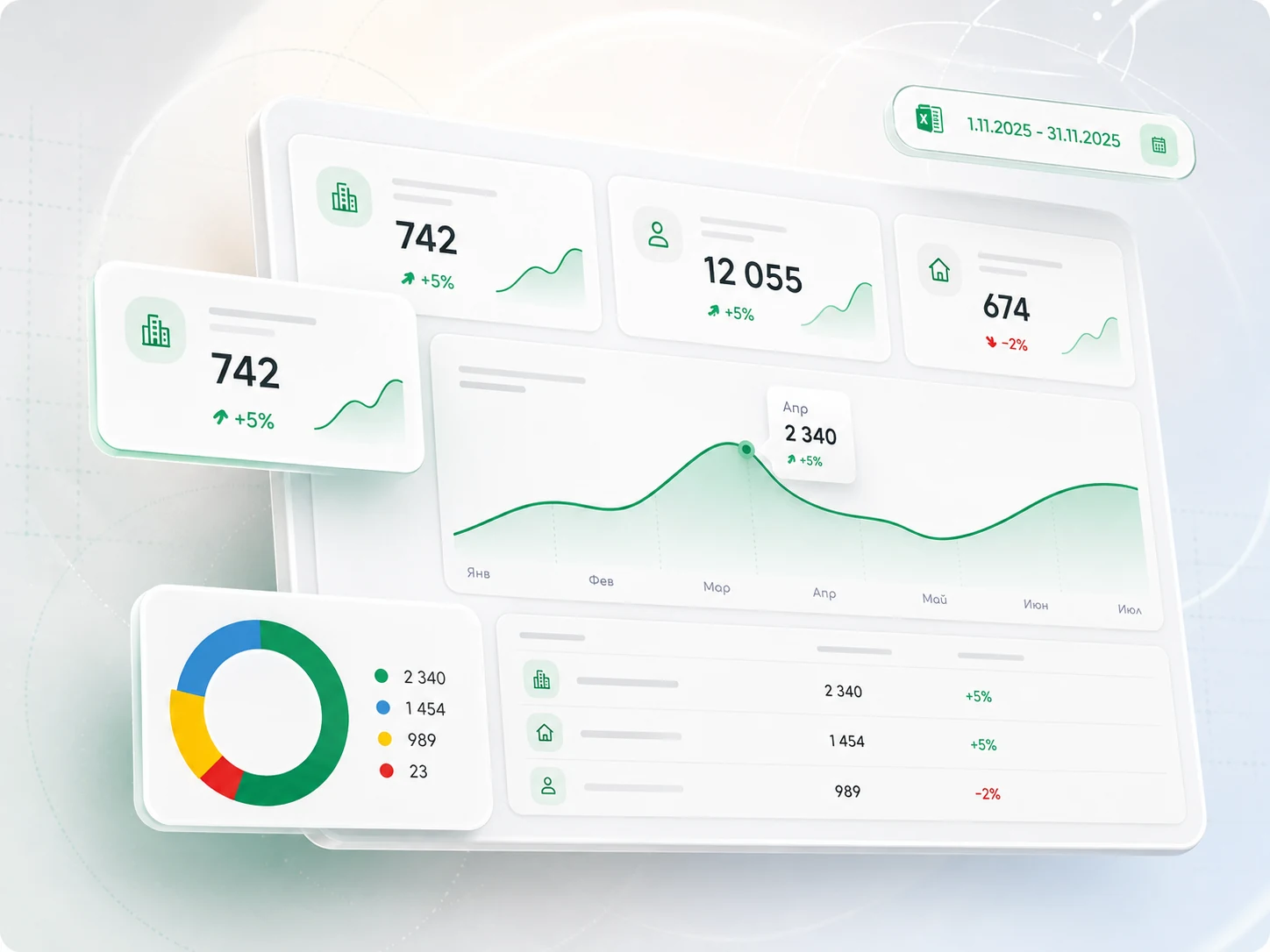
Scenarios, product structure, prototypes and the visual system
Clients, tasks, calendar, reminders and reports
Key scenarios work at the desk and at a viewing
Notebook, Excel, calendar and notes, in one window
A universal CRM is a poor fit for a realtor
Universal systems assume a thirty-person sales floor and an administrator to keep them running. A solo realtor has neither, so they pay for the system and keep running deals in a notebook
The structure followed a sales department's process, not the way a property deal is actually closed
A flat list never said what had been promised to whom, or what the next step on a deal was supposed to be
Most of the day is viewings, calls and meetings, and the desktop-first product did not support work between viewings
Built from what was already in use
Everyone we spoke to had already bought a serious CRM and gone back to paper. We asked not about the flaws of those systems, but about what a realtor ends up working in every day. That short list became the product's scope
- Set-up
- An administrator configures roles, fields and funnel stages before anyone works
- Funnel
- One of the sections, for measuring performance
- Tasks
- A flat list with a priority flag on every row
- Reports
- A form somebody fills in at the end of the week
- Mobile
- A cut-down viewer, for looking things up
- Set-up
- The product has to be easy to set up without technical specialists
- Funnel
- Open all day, with everything else gathered around it
- Tasks
- Forty items by Wednesday, and the flags stop helping
- Reports
- The numbers are kept in the realtor's head
- Mobile
- The main working tool out on viewings
One screen the day starts from
The funnel sits in the centre, with tasks, the calendar, reminders and developer offers around it. A realtor does not open a set of modules, they see the next step on every deal
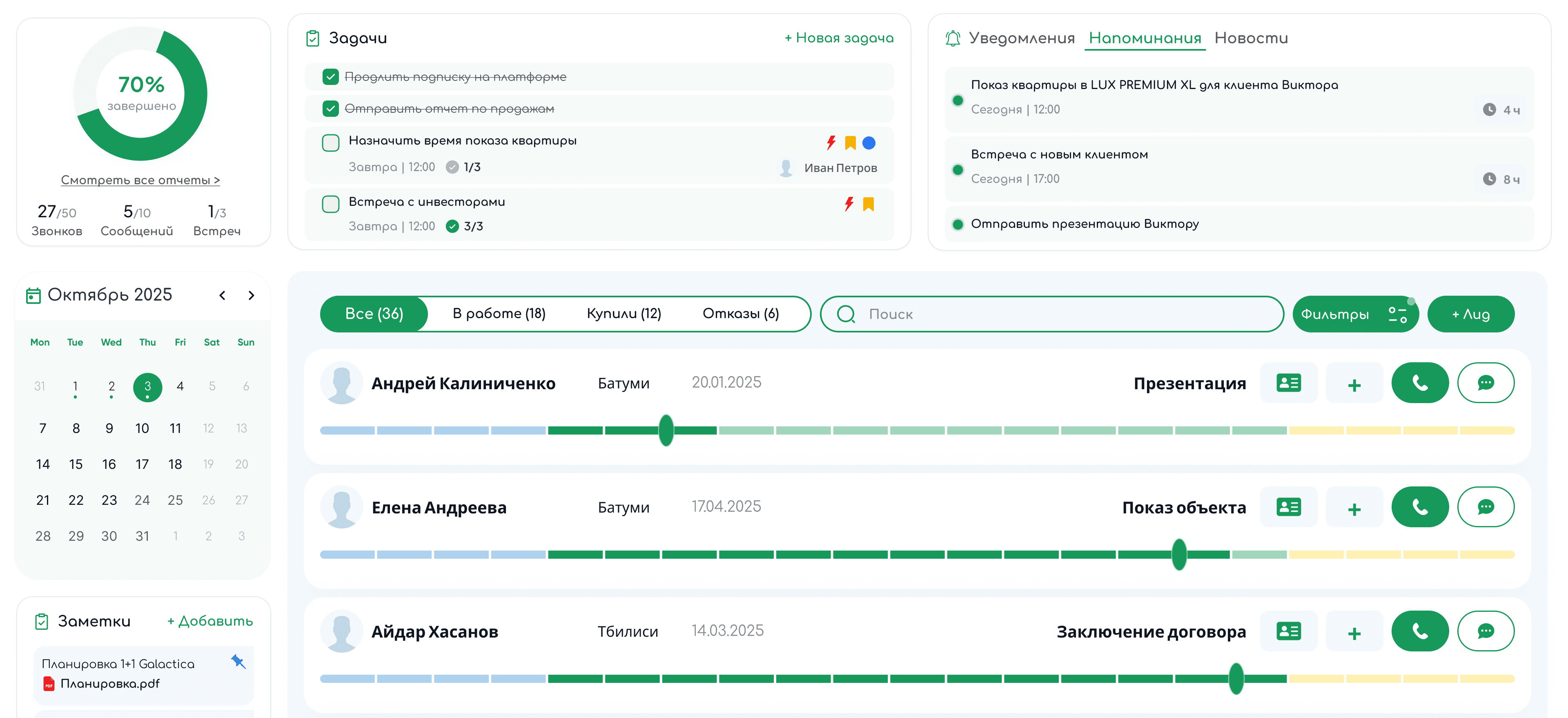
Activity, calendar and notes down the left, tasks and reminders across the top, every client on the right as a row carrying their stage. Moving a client along that bar is the only interaction that has to be learned
The matrix shows what not to do yourself
A list answers what to do today. By Wednesday there are forty items and it only shows volume. One button lays the same tasks out by urgency and importance, and it is clear at once what to hand over and what to simply drop
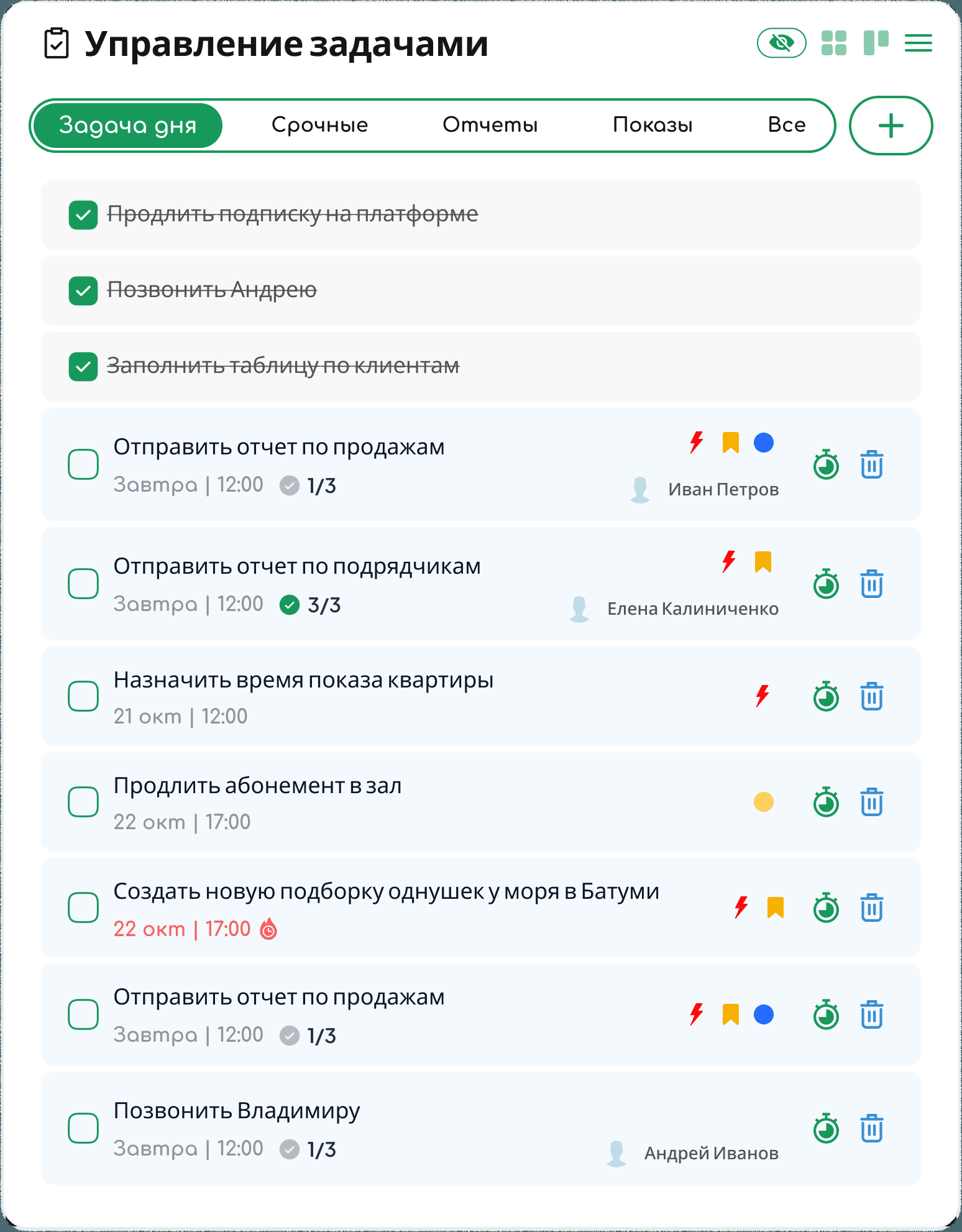
Deadlines, subtask progress and priority in one row. Enough while the list is short, not when it runs to dozens
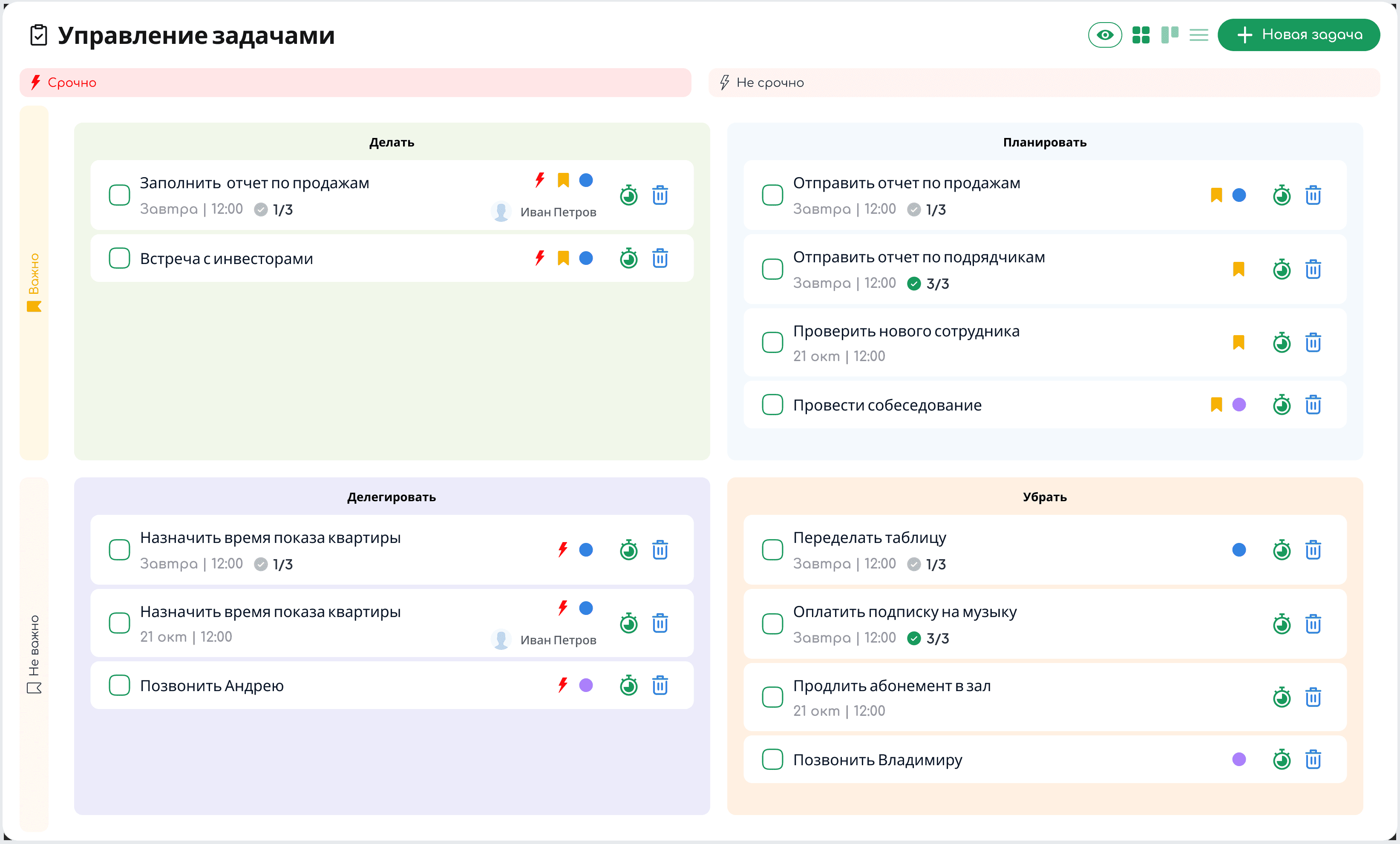
Do, plan, delegate, drop. The data is the same, only the question the screen answers changes
Reports assemble themselves
Realtors do not fill in reporting forms, so analytics cannot rely on them. The call, the showing and the stage change are the only input it ever gets
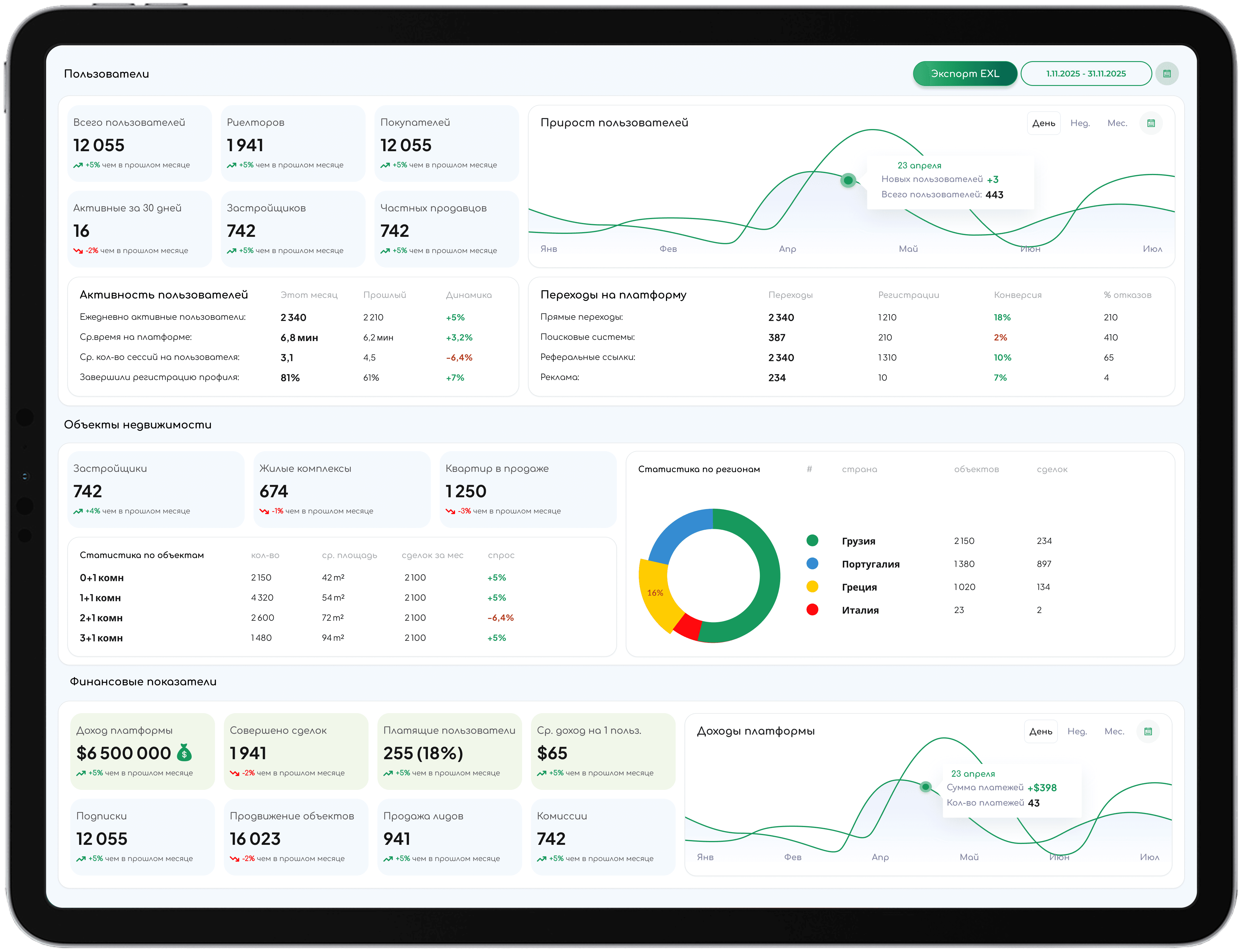
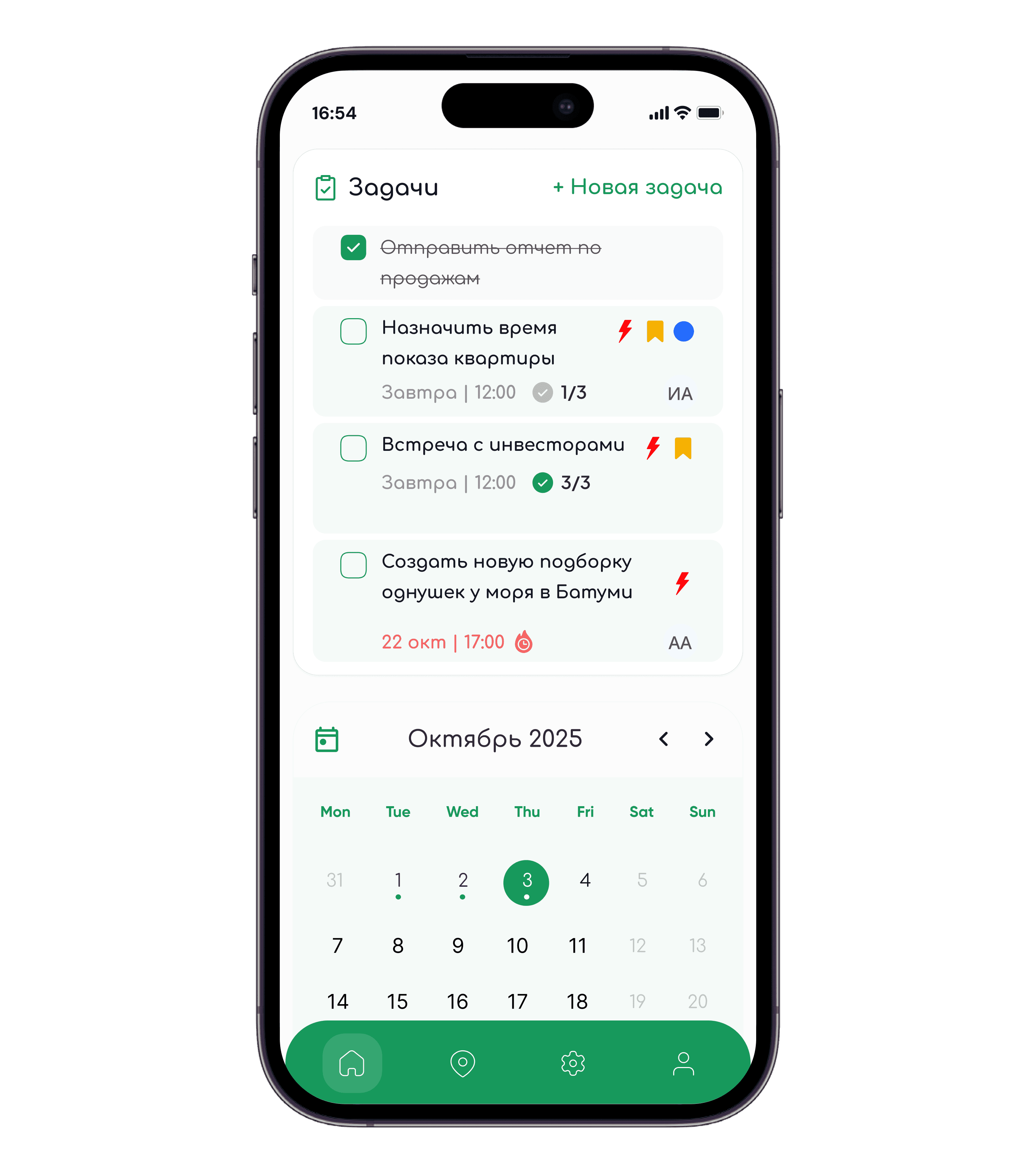
Metrics for users, listings and revenue assemble themselves from actions already performed. The mobile build keeps only what a viewing day needs: the client, the stage, the task, and the commitment that has not happened yet
The day does not stop at the funnel
Dozens of calls, viewings and tasks in a day. Everything has its place and opens exactly when it is needed
Showings, meetings and deadlines, personal and agency side by side, synced with Google
A countdown to the next commitment rather than a notification after it
Search, filters and stage across every deal a realtor holds
Matched properties assembled in the card and sent from it
Current promotions beside the client card, open during the call
Plans, contracts and spreadsheets pinned to the day they belong to
Realtors work in the CRM, not in a notebook
Not another big CRM but an instrument for one profession. A realtor can finally see their own conversion, volume and commission without assembling them by hand
Deals are no longer kept differently by everyone. The agency sees all of them and can plan its workload ahead
Priorities that still work when the list runs to dozens, and a commission figure that is never recomputed by hand
The CRM brings a realtor's daily work onto the platform, not only the listing search
These are product and design outcomes. No number on this page is presented as a measured business result
What we did
CRM audit
Why realtors abandoned the systems they had already paid for, and which parts of a universal CRM a solo realtor never opens
Scenarios & structure
The working day mapped first, then the structure built to match it, the funnel as the main screen rather than one section among many
Analytics design
Metrics defined from actions a realtor already performs, so reporting needs no separate forms and still answers where clients are lost
Web & mobile UI
Both platforms on one visual system, designed in parallel rather than ported afterwards